Products
One tool, three ways to see your people
Every view works from the same list of people, so you enter them once.
Free and paid
See where every person stands
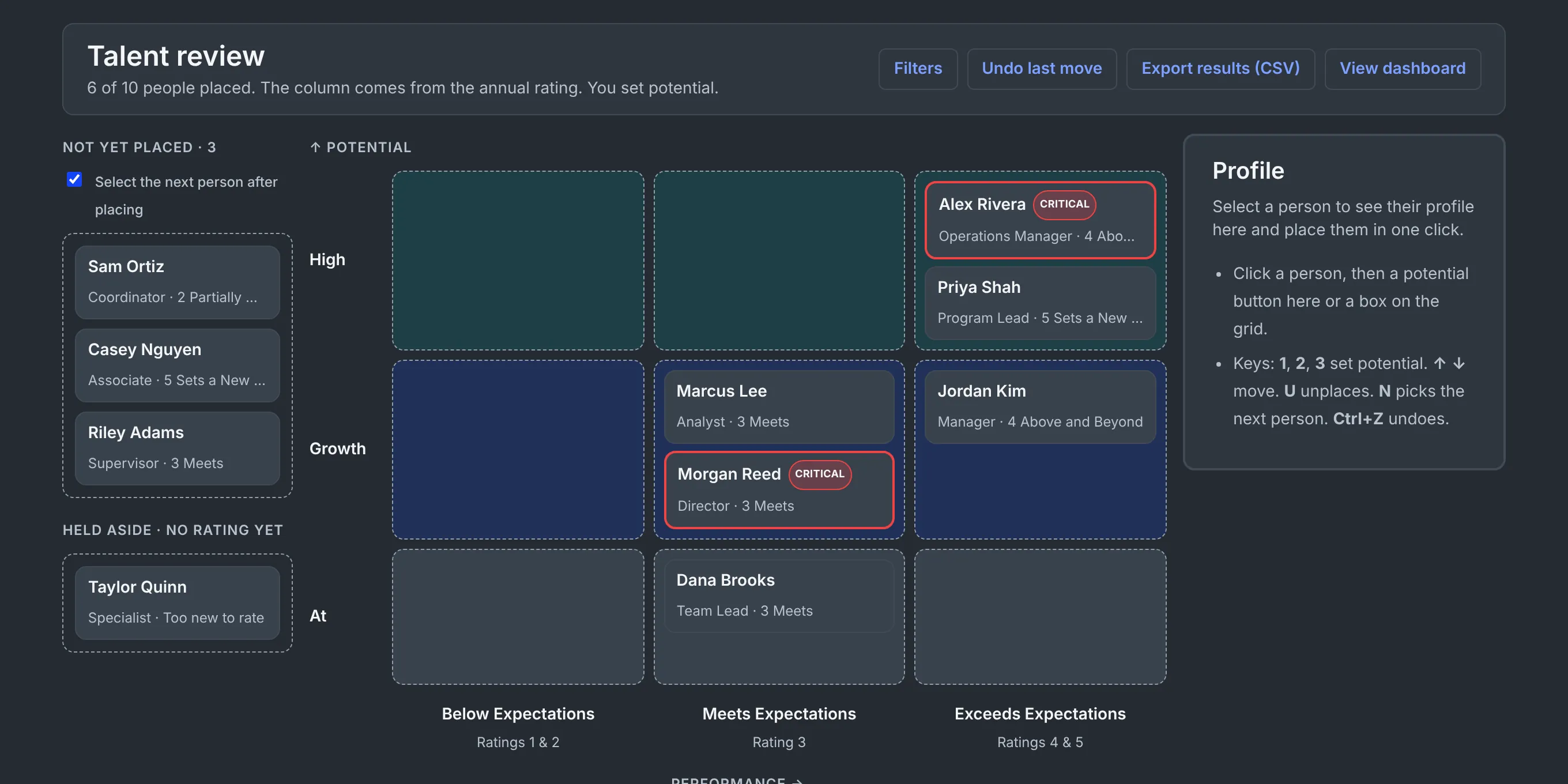
Plot performance against potential. Pick a person, press 1, 2 or 3, and they land in a box.
- The column starts from the annual rating, and you can adjust it with a reason. You set potential.
- People too new to rate are held aside, not forced onto the grid.
- Undo any move, and the next person is selected for you.
- Export your results as a CSV any time.
Paid plans
Know who could step in, and how soon
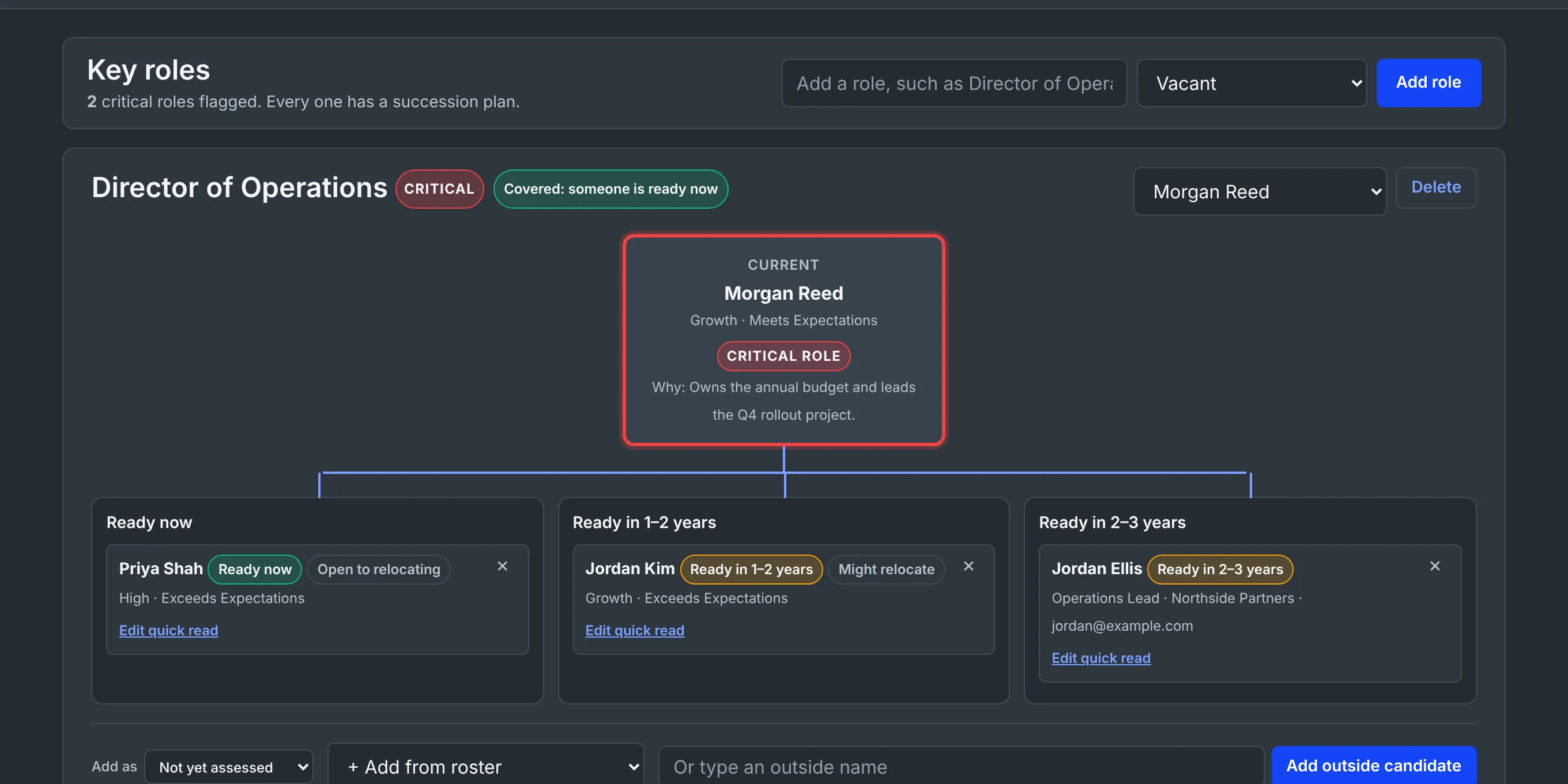
Choose your critical roles and name who could take over: ready now, in 1 to 2 years, or in 2 to 3 years.
- A five-question quick read places every candidate the same way.
- Name people from your roster or from outside the organization.
- See who is open to relocating.
- Roles with no cover are flagged, not buried.
Paid plans
Step back and see the whole picture
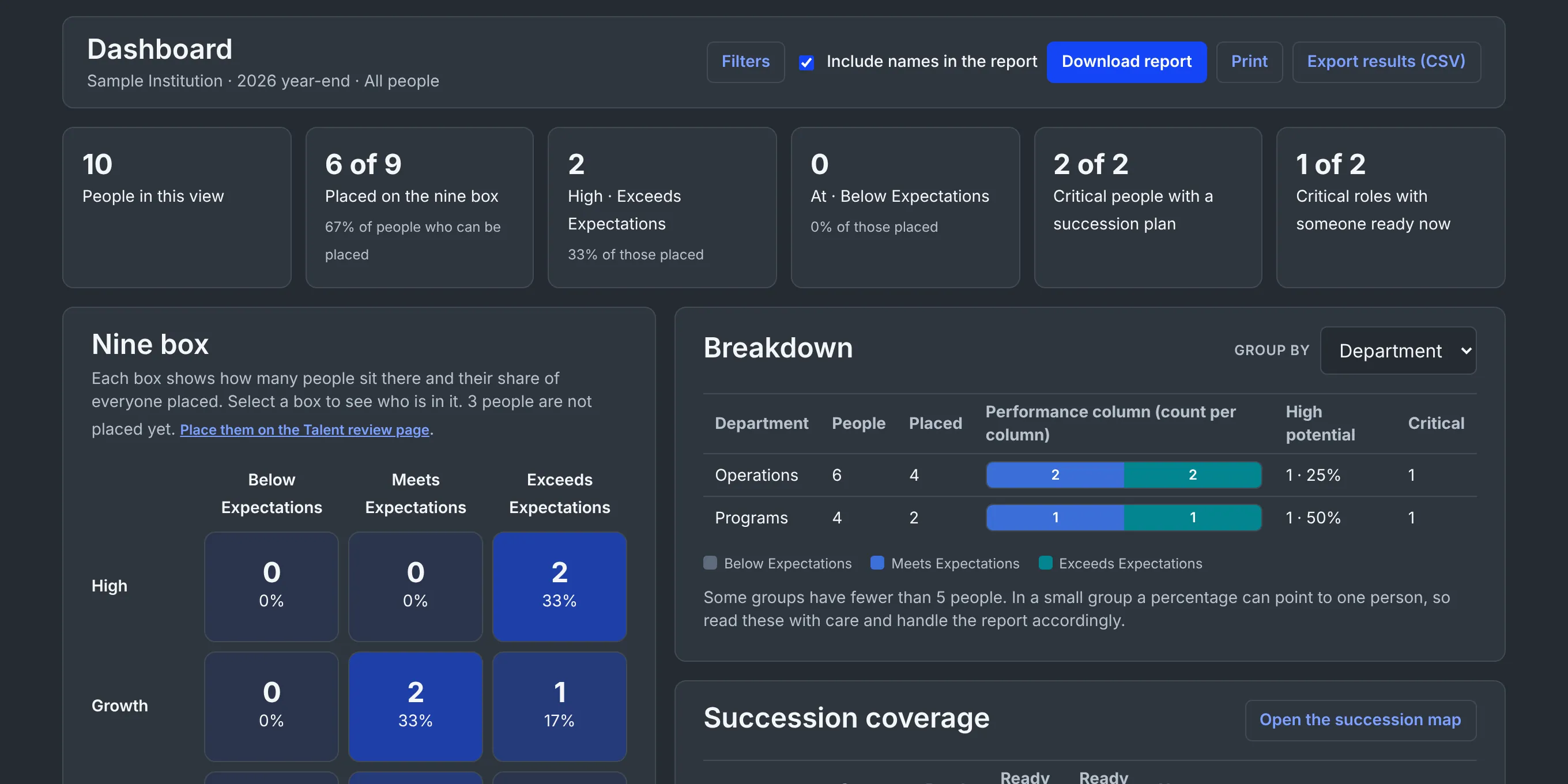
Your nine box by level, function, department and tenure, with succession coverage for every critical role.
- Findings that point to your next step.
- A plain warning when a group is under 5 people, so a percentage is less likely to point to one person.
- A report you can print or download, marked confidential.
Bring your people in, take your results out
Start from a blank CSV template with a PDF guide, or type names directly. When you are done, download your results as a CSV or a printable report.
Know your price up front
Enter the size of your team and see one flat monthly price. Pay by credit card when you are ready.